In short: Good invoicing software for small business lets you create a professional invoice in under a minute, track expenses, see your cash flow in real time and work from any device – without spreadsheets or Word templates.
Freelancers and small companies lose hours every month on administration: copying templates, chasing payments and collecting receipts for the accountant. The right invoicing software for small business turns that into a few clicks. Here is what to look for.
Why spreadsheets and Word templates are not enough
Templates lead to numbering mistakes, missing data and invoices that look different every time. There is no overview of who has paid, and preparing data for the accountant becomes a monthly project. As the business grows, the problem grows with it.
Checklist: what invoicing software for small business should offer
- Speed – saved clients, products and prices so a new invoice takes seconds.
- Professional look – your logo, company details and payment information on every invoice.
- Expense tracking – record costs as they happen to know your real profit.
- Reports – income, costs and cash flow at a glance.
- Cloud access – work from the office, from home or while travelling.
- Security – encryption and regular backups.
- Accountant-friendly – easy export and clean records.
- Local requirements – check that the tool supports the invoicing rules in your country.
Common mistakes when choosing a tool
- choosing software only by price and ignoring time savings,
- tools that need installation and work on one computer only,
- forgetting expense tracking – invoices are only half the picture,
- not testing the tool with a real invoice before deciding.
Who needs invoicing software for small business?
Freelancers and sole traders, small companies and start-ups, agencies, consultants, craftsmen and entrepreneurs who run their company remotely – for example e-residents with an EU company.
iOffice – online invoicing and expense tracking
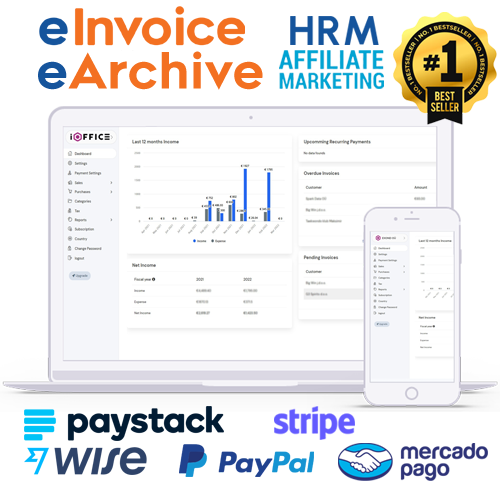
iOffice is a cloud application for invoices, expenses and financial reports. Your first invoice can be ready in under 60 seconds, it runs in the browser on any device, and your data is encrypted and backed up. EXOND built it from its own experience of running several companies across the EU.
How to switch in one afternoon
- Create an account and enter your company details.
- Import or add your clients, products and services.
- Send your first invoice.
- Start recording expenses and check your reports weekly.
Features that separate good invoicing software for small business from basic tools
- Saved items and price lists – no retyping of the same services.
- Consistent numbering – fewer errors and easier audits.
- Payment overview – see at a glance which invoices are open or overdue.
- Expense records – costs stored next to income for a real profit picture.
- Real-time reports – no waiting for the accountant to know where you stand.
How much time can you save?
If creating one invoice in a spreadsheet takes ten minutes and you send twenty invoices a month, that is more than three hours of work. With saved clients and services, the same invoice takes under a minute. Add the time saved on searching for receipts and preparing reports, and the monthly saving easily becomes a full working day.
Invoicing software for small business owners who work remotely
Entrepreneurs who travel or run companies in another EU country need access from anywhere. Cloud invoicing lets you issue an invoice from a laptop or phone, while your accountant gets clean records without e-mails full of attachments. That is exactly why EXOND, which runs several companies across the EU, built iOffice.
Official website: ioffice.ee
Simplify your invoicing
Create your first invoice in under a minute and see how much time you save.
Frequently asked questions
What is the best invoicing software for a small business?
The one that saves you the most time: fast invoices, expense tracking, reports and secure cloud access, matched to your country’s invoicing rules.
Do I need to install invoicing software?
Not with cloud tools like iOffice – they run in the browser on any device.
Can invoicing software track expenses too?
Yes. iOffice records expenses and shows income, costs and cash flow in real time.
Is my financial data safe in the cloud?
Reputable tools use encryption, regular backups and advanced security measures.